Sidebar
Zones Tab
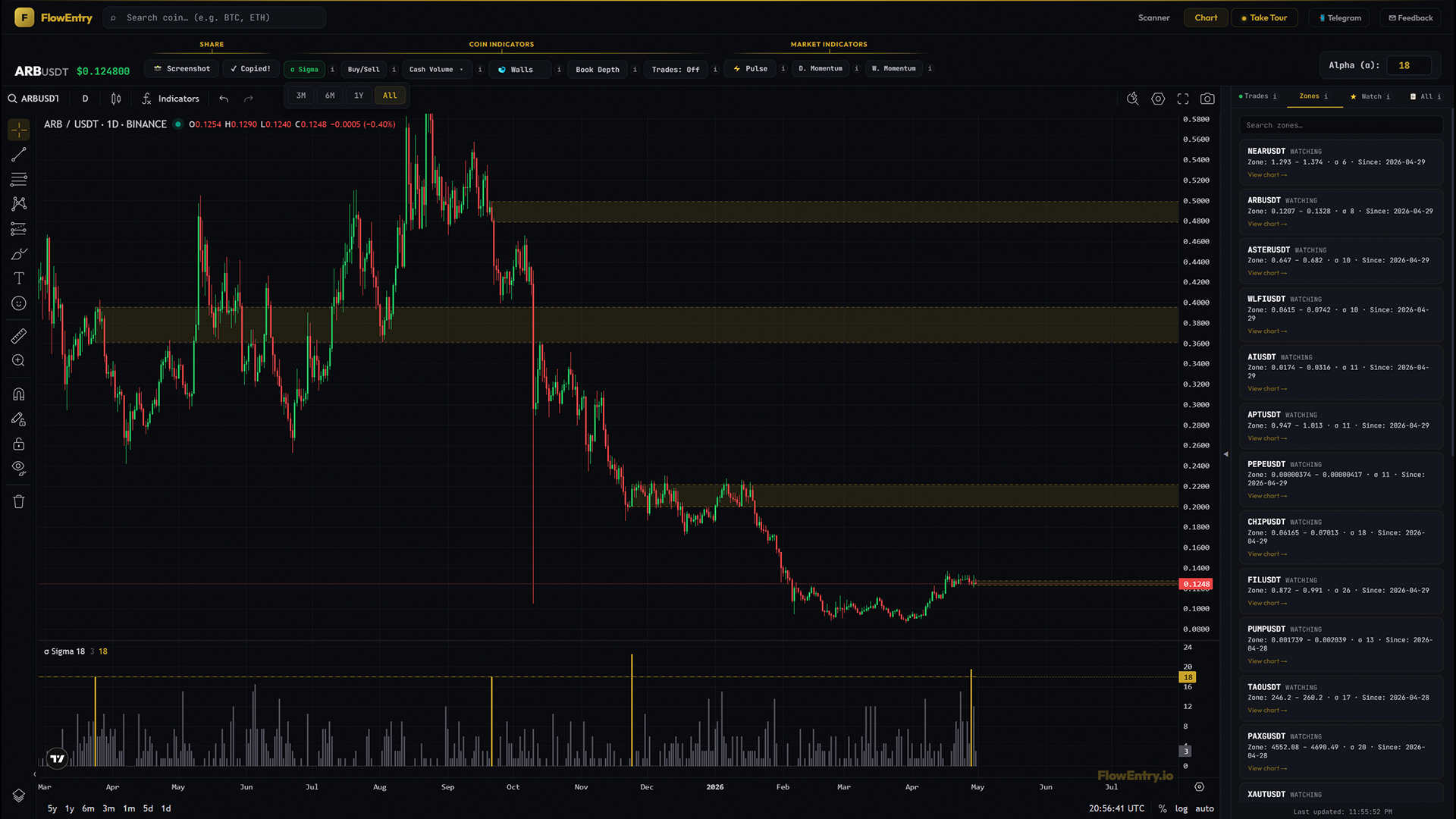
The Zones tab is the bot’s watchlist. Every coin with a fresh sigma signal where price hasn’t picked a side yet. Click any zone to land on its chart and watch for the breakout.
What it answers
- “Which coins is the bot watching right now?”
- “Where might the next trade come from?”
- “Which zones are still pending after their alert day?”
- “What’s queued up that I should keep an eye on?”
Mental model
The Zones tab is the bot’s watchlist. Every pending setup it is monitoring, on a single screen.
A zone exists because, on some past day, that coin’s sigma crossed alpha and the bot drew a band at the day’s high/low. From that moment, the zone sits in the WATCHING state until the daily candle closes outside the band. That close is what flips the zone into a trade.
The Zones tab is the bot’s queue. Every coin where a sigma signal has fired but price hasn’t yet committed to a direction. The Trades tab tells you what is happening; the Zones tab tells you what is about to happen.
How to use it
- Daily morning routineOpen the sidebar, switch to the Zones tab. Read the queue. These are the coins where a sigma fired and the band is still open. The most actionable forward-looking list the app produces.
- Pick chart studies for the dayCards are sorted by recency. The newer the “Since” date, the fresher the signal. Click into the chart, look at the σ that produced the zone, check Buy/Sell direction on the alert day, and form your own view on which way the breakout is likely to resolve.
- Combine with D. Momentum / W. Momentum for contextPending zones inside a green / light-blue regime are different setups than pending zones inside a red / dark-blue regime. The market regime tells you which direction breakouts statistically favour.
- Watch high-σ zones firstA zone with σ 25 is a louder signal than a zone with σ 12. Both are valid (they both crossed alpha), but louder signals are louder.
- Use search to focusIf you only trade a handful of coins, type one of them into the search box. The card reappears the moment the bot generates a new zone for that coin.
- Watch zones graduate to tradesA zone disappearing from the Zones tab and showing up in the Trades tab means the daily close just triggered a position. Cross-reference the two tabs after each daily close (~00:05 UTC) to see what changed.
What it doesn’t do, and when not to use it
The Zones tab does not predict direction. A WATCHING zone is direction-agnostic; the bot trades whichever way the daily close breaks. The tab does not show ACTIVE or REPLACED zones; once a zone triggers it disappears here and shows up via Trade Markers on the chart. There is no “favourite zones” feature.
Don’t use a queued zone as an entry signal on its own. A zone in the queue is a setup, not a trade. Wait for the close, or form your own pre-emptive view using Sigma, Buy/Sell, and Cash Volume.
Why it works
Most setups vanish the moment they appear. A watchlist built by hand goes stale within a day. The Zones tab is the bot’s automated, rolling watchlist of every pending sigma setup across the entire USDT universe. Coins enter when a sigma fires, leave when the daily close commits to a direction (or when a newer sigma replaces them). It is always up to date because the bot keeps it that way, every UTC midnight.
Examples
Case A: queue full after a market-wide event
- Setup.
- After a hot Pulse day, dozens of zones generate overnight.
- Signal.
- Zones tab fills with new cards, all with yesterday’s “Since” date.
- Outcome.
- Over the following days, some break up, some break down, some replace.
- Lesson.
- A full queue is itself a market signal. The bot is bracing for many setups at once.
Case B: high-σ zone that broke clean
- Setup.
- A single card shows σ 27 on a major coin.
- Signal.
- Daily close above zone_high. Zone disappears from Zones tab, appears in Trades tab as a LONG.
- Outcome.
- Trade ran for several days with rising max-unrealized %.
- Lesson.
- High-σ zones in the queue are the highest-probability candidates to watch graduate.
Case C: queue empty during a quiet regime
- Setup.
- Several days of dark-blue W. Momentum, Pulse mostly slate.
- Signal.
- Zones tab shows “No watching zones”.
- Outcome.
- Sit on hands; wait for breadth to return.
- Lesson.
- An empty queue is a valid market read. There is nothing to do because nothing fresh is firing.